Why this guide exists
This is not a polished lab demo. This came from a real OpenClaw update while I was actively using an AI workflow to build and QA an app. Bixby, my OpenClaw agent, runs through Telegram. Codex helps me inspect code, protect branches, verify builds, and avoid reckless moves.
The update worked, but it also exposed the exact issues people tend to hit: stale plugin config, auth migration, Telegram routing, background task wrappers, and visible tool chatter. The win was not that nothing broke. The win was that every step had a guardrail.
The principle: do not update your agent stack like you are refreshing a phone app. Treat it like production maintenance, even if it only runs on your own machine.
Prefer to watch?
Here is the full walkthrough in video form:
Who this is for
This guide is for people who already use OpenClaw for real work and want a safer way to update without losing their agent workflow, memory files, Telegram routing, or active project context.
It is especially useful if your setup includes Telegram, Codex or ACP, local config files, memory/recovery docs, Google Drive or another mounted file lane, and one or more active project branches that should not be touched during maintenance.
If you are casually experimenting for the first time, this may be more process than you need. If your setup is simpler, borrow the parts that fit: back up config, update stable, validate, restart deliberately, and smoke test.
Recommended path
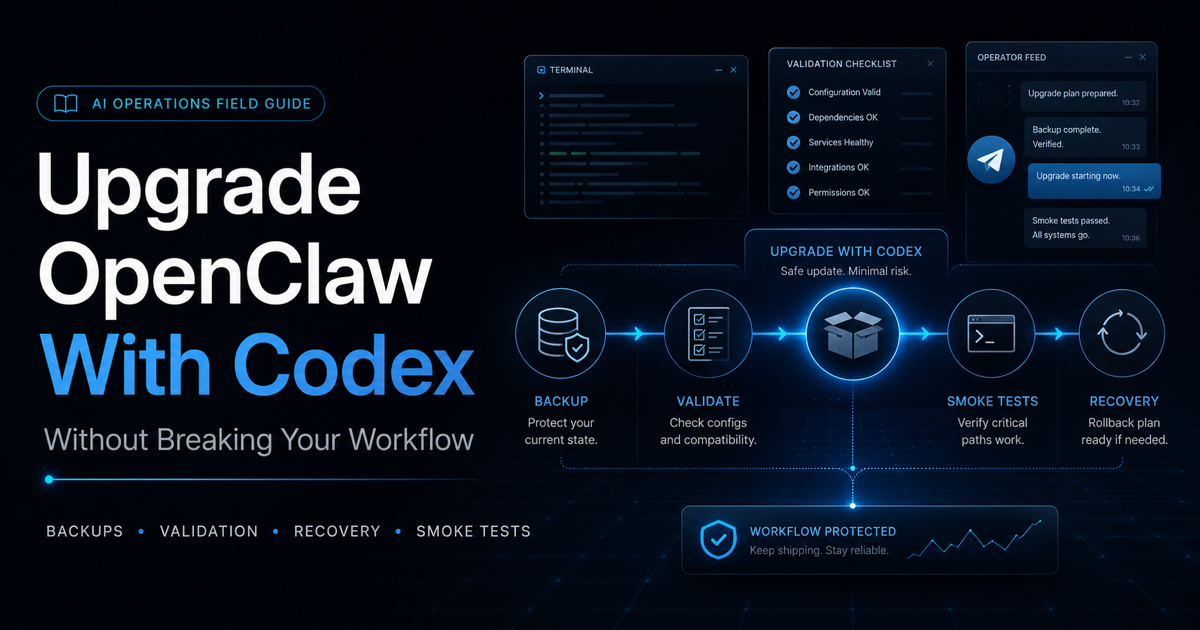
If you are skimming first, this is the flow. The full guide below explains why each step matters and what to do when one of them fails.
The setup
My workflow uses OpenClaw, Bixby over Telegram, Codex, Claude, ChatGPT, Google Drive, and a clean app branch for release work. Your exact setup will differ, but the pattern matters more than the names.
- Bixby: OpenClaw agent used for coordination, memory, repo state, and operational checks.
- Codex: engineering review, code surgery, branch hygiene, and guarded maintenance.
- Telegram: daily interface for Bixby.
- Google Drive: shared file lane for screenshots, docs, and workflow artifacts.
- App project: active product work that should not be touched during the OpenClaw update.
Replace paths with your own. The commands below show my style of workflow, but your home directory, Drive mount, config path, and project folders will not match mine.
How Codex fits into the update lane
Codex is not there to freelance during an update. I use it as the careful operator in the room: inspect state, compare files, identify blockers, keep the lane narrow, and verify the stack before I return to product work.
- Before the update: Codex checks version, config validity, gateway status, Telegram health, active sessions, Drive mount state, and project branch cleanliness.
- During the update: Codex runs the approved stable update lane only and stops on the first real blocker.
- When something breaks: Codex captures exact errors instead of guessing, then separates narrow fixes from broader migrations.
- After restart: Codex verifies gateway/RPC, Telegram delivery, Codex/ACP auth, mounted paths, and normal agent reply behavior.
- After recovery: Codex helps confirm the agent has reloaded the right memory, workflow, and voice.
The prompt matters. Tell Codex exactly what it may inspect, what it may change, and what it must not touch. During maintenance, the guardrails are the work.
Preflight checklist
Before you touch anything: pause active work first. Do not combine an OpenClaw update with app code changes, release fixes, branch cleanup, or plugin experiments. If you do not know what state your config, session, branch, or gateway is in, stop and establish that baseline first.
Before the update, I wanted proof that the system was in a safe stopping point. That meant the app lane was paused, the clean branch was known, Drive was mounted, Telegram was reachable, and no unrelated agent job was running.
openclaw --version
openclaw config validate
openclaw gateway status --json
openclaw channels status --probe --json
npm view openclaw dist-tags --json
The goal is not to run every command possible. The goal is to answer one question: is this machine calm enough to update?
What to back up before the update
Backups should be boring, explicit, and easy to find. Do not rely on memory. Put the pre-update snapshot in one timestamped folder and include the files that would make your agent hard to recover if they changed.
- OpenClaw config: the main config file that controls agents, channels, tools, and message behavior.
- Auth profiles: any OpenClaw, Codex, ACP, or connector auth metadata your setup depends on. Never print private keys or tokens into a public log.
- Memory files: agent identity, user preferences, workflow notes, and recovery docs.
- Runbook docs: the update checklist, rollback notes, and smoke-test instructions.
- Project state notes: clean branch, dirty branch, active release lane, and anything that should not be touched.
mkdir -p ~/openclaw-update-backups/pre-update-YYYYMMDD

cp ~/.openclaw/openclaw.json \
  ~/openclaw-update-backups/pre-update-YYYYMMDD/

cp /path/to/your/auth-profiles.json \
  ~/openclaw-update-backups/pre-update-YYYYMMDD/

cp /path/to/your/memory/*.md \
  ~/openclaw-update-backups/pre-update-YYYYMMDD/
The command shape matters more than the exact paths. Use your real paths, confirm the files exist in the backup folder, and only then move on.
Stop or continue decision map
This is the part that keeps the update from turning into a messy repair spiral. Decide what each result means before you are under pressure.
Rollback note: if validation or restart cannot be repaired cleanly, restore from the pre-update config/auth snapshot instead of stacking guesses.
The update lane
I chose the stable lane only. No beta, no opportunistic dependency cleanup, no app work during the infrastructure change.
The most important choice was holding back restart. Updating the package and restarting the gateway are two different risk points. Keeping them separate made the failure easier to understand.
openclaw update --channel stable --yes --json --no-restartAfter the update landed, I validated config and then restarted deliberately. That is where the new version exposed a stale web search provider reference.
What broke
The update itself installed, but the gateway restart failed because the new OpenClaw version tightened config validation. My config still referenced a Brave web search provider/plugin state that the updated runtime considered invalid.
Important: this is where you stop. Do not blindly retry gateway restart. Do not start editing random config keys. Capture the exact validation error first.
The repair path also touched more than one thing: stale plugin references, model reference normalization, session/runtime migration, and a message visibility setting. That crossed the line from tiny fix into approved migration work.
Later, even after the gateway came back, Telegram replies looked wrong because the chat was still bound to an old Codex ACP session. Bixby was producing the right answer internally, but Telegram was only showing the background-task wrapper.
What fixed it
The fix was a sequence, not one magic command.
- Back up OpenClaw config, auth profiles, memory files, and update runbooks.
- Approve the broader doctor migration only after inspecting what it wanted to change.
- Repair Codex/ACP auth so the updated runtime could use the correct auth store.
- Close the stale Telegram ACP binding with
/acp close. - Turn Telegram streaming progress off so the working chat did not fill with tool-step drafts.
- Reload recovery files so Bixby had the right identity, Drive path, app workflow, and reply style.
/acp closeResult: OpenClaw was updated to the stable version, config validated cleanly, gateway/RPC were healthy, Telegram replies returned to normal, and Bixby was back in the right voice.
Smoke checks
After an update, I want proof in plain language. Not vibes. Not "it seems fine." Proof.
openclaw --version
openclaw config validate
openclaw gateway status --json
openclaw channels status --probe --json- OpenClaw version is the expected stable version.
- Config validates clean.
- Gateway and RPC are healthy.
- Telegram probe passes.
- Google Drive mounted path exists.
- Codex/ACP auth works.
- Bixby replies normally in Telegram.
- Visible tool-progress chatter is disabled if you do not want it in your working chat.
What success looks like
At the end, success should be easy to say in plain English. You are not done just because the package installed. You are done when the working system is back.
- OpenClaw is on the intended stable version.
- Config validates clean.
- Gateway and RPC are healthy.
- Telegram replies are normal.
- Codex/ACP auth works if your setup uses it.
- Your mounted file lane or workflow docs are reachable if your workflow depends on them.
- Your agent remembers the right identity, voice, workflow, and current state.
- You did not touch unrelated app, product, repo, build, or deploy work during the maintenance lane.
Guardrails and prompts
These are intentionally strict. During maintenance, a good prompt is less about personality and more about preventing accidental scope creep.
Guarded OpenClaw update lane only.

Do not touch app code.
Do not stage, commit, push, build, or deploy.
Start with preflight and backups.
Use stable only.
Update with restart held back.
Validate config before restart.
If validation fails, stop and report the exact blocker.
After restart, run gateway, Telegram, Codex auth, Drive path, and normal reply smoke checks.
Recovery reload pass only.
Read the core identity, user, memory, tools, Drive, workflow, and update handoff files.
Do not edit files.
Do not touch app code.
Return whether Bixby style, Drive path, app workflow, and current OpenClaw state are remembered.What this guide does not cover
This guide is intentionally narrow. It is a stable-update playbook based on one real workflow, not a complete OpenClaw operations manual.
- It does not cover beta-channel experimentation.
- It does not cover first-time OpenClaw installation.
- It does not cover every possible Telegram or ACP failure.
- It does not cover major plugin ecosystem surgery.
- It does not cover production app or repo recovery.
- It does not cover every operating system or environment difference.
Use it as a disciplined update lane. If your situation is already broken before the update starts, first document that baseline and solve the existing problem separately.
Lessons learned
The update was worth it, but it worked because Codex treated the process like maintenance, not curiosity. Every move had a checkpoint. Every failure had a stop condition. Every fix was verified before moving on.
- Stable only is a strategy. You can explore beta later, after the working stack is safe.
- Backups are not drama. They make you calm enough to solve the real problem.
- Config validation matters. New versions can make old tolerated config invalid.
- Telegram routing can lie by omission. The agent may be answering internally while the chat only shows a task wrapper.
- Recovery docs are part of the system. Persona, paths, workflow, and current state should survive a restart.
My recommendation: if you use OpenClaw for real work, write your update runbook before the update. The time to figure out rollback is not after the gateway fails.